
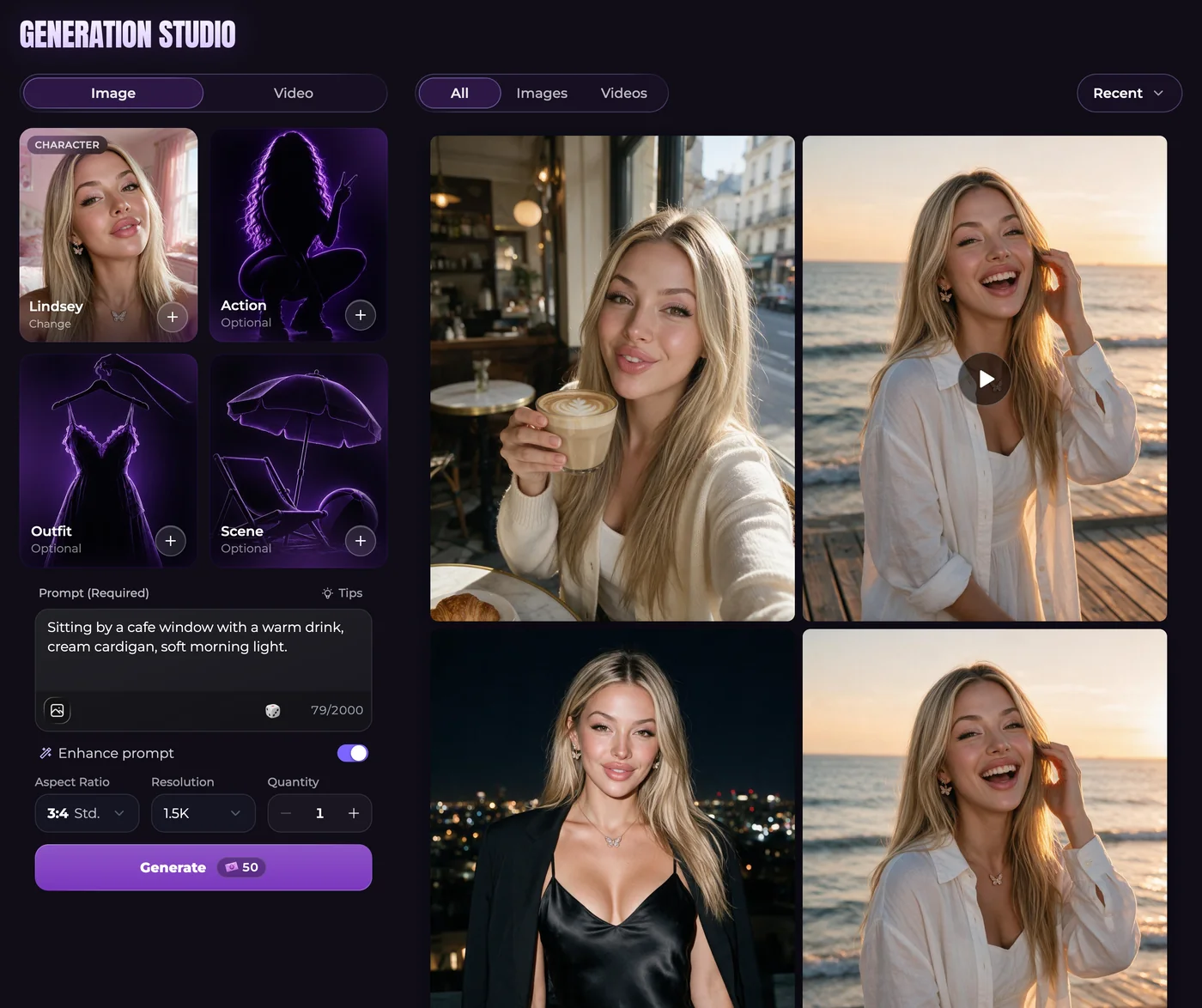
Review the request before expecting a result
Choosing settings or reusing a prompt does not submit a generation. Check the selected character, output choices and final total together. Unlimited messaging does not remove media charges, and a recurring grant is different from purchased Moments when balances reset.
Inspect any completed result before downloading, editing or animating it. A request blocked before generation is not charged, while a generation that fails after starting receives its Moments back. Disliking a successful image is not the same as a technical failure. Use generation support guidance for a broken image needing review.
Start from the subject you want to preserve
For a new picture, choose the companion and describe the visible scene. You could imagine an adult furniture restorer examining a small wooden box: its position, the hands and the work surface matter more to the composition than a lengthy character biography.
Advanced requests accept up to five reference photos. Choose reference images from your Secrets gallery, not files on your device. Keep selected presets and written instructions compatible, and check the total when changing references, image size or quantity.
Make movement a separate decision
A useful animation brief describes what changes while preserving the intended subject. The restorer might slowly turn the box toward the light. A single action gives you something clear to assess without asking the scene to change outfit, room and camera position at once.
Our video models offer different duration, resolution, sound and reference controls. Use an end frame only where the chosen model supports it. Video needs Premium or Ultimate and enough Moments for the displayed request, not merely access to ordinary text chat.
Common questions
Can I use a picture already in my gallery instead of making another?
A supported gallery image can provide the video source. Inspect it first so a poor pose or unwanted detail is not carried into an additional request.
Will changing the form immediately create and charge for media?
No. Preparing settings is separate from submission. Read the complete request total after making changes and before deciding to generate.
Why can two media requests have different totals?
Models, dimensions, duration, quantity and references can affect the request. Check the actual form and Moments conditions rather than applying one sample price to every output.